
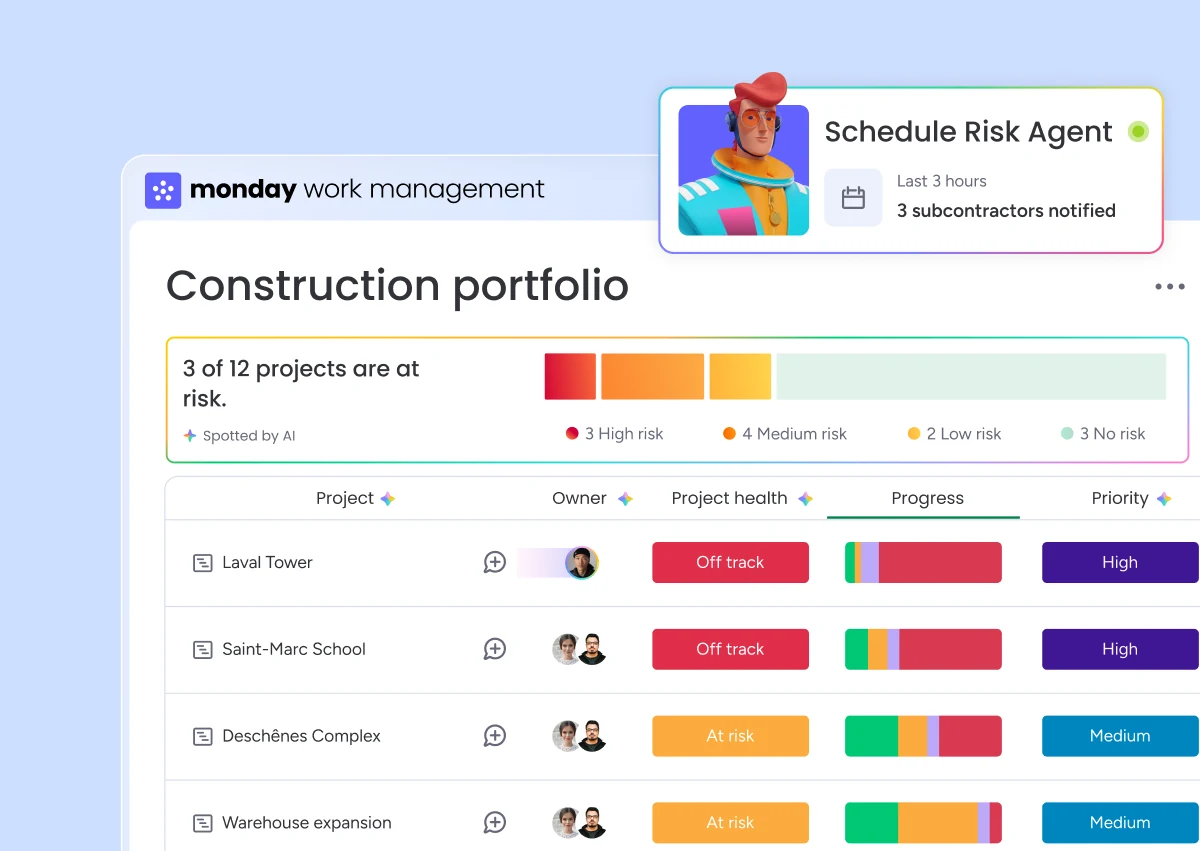
An AI agent can prepare a daily construction brief in monday.com by reading authorized updates, statuses, dates and documents. It groups facts by project, flags blockers and identifies decisions without owners. The operations leader reviews the brief before distribution and can return to each source item.
A useful deliverable is a short list of traceable facts: what changed, what is blocked, who must decide and which information is missing. A broad paragraph about progress gives the director little evidence for the next decision.
This pattern addresses a common operating gap. Information exists in reports, messages and boards, yet arrives too late for the coordination meeting. The agent reduces reading and classification work. The superintendent still owns the daily report, and the project manager still applies judgment.
Data the agent needs to read
The pilot begins with a closed list of sources. Giving an agent the full account as context raises consumption and increases the chance of mixing projects.
- the active-project board and its project identifier;
- daily reports or field updates;
- baseline dates and current milestones;
- open issues with priority and owner;
- decisions expected from the office or client;
- authorized attached documents;
- internal rules that define a blocker or escalation.
monday.com says agents can use boards, docs, external files and permissions as context. They can also create or update items, assign owners and draft messages. These capabilities are documented in AI Agents on monday.com, and the feature remains in gradual release.
If reports still live in email, a mobile form or another field system, choose their destination first. monday.com can hold the coordination record while specialized software remains in use on site. Our article about AI agents without changing platforms explains that connection pattern.
The daily brief format
The format should stay consistent so the responsible person can find what deserves attention. We recommend five blocks.
| Block | Question it answers | Minimum source |
|---|---|---|
| Changes | What changed since the previous run? | An update, status or changed date |
| Blockers | What prevents the next activity? | An open issue and affected activity |
| Decisions | Who must decide and by when? | A question, owner and due date |
| Documents | Which document is missing or needs review? | Document type and related request |
| Missing data | Which site failed to provide the expected information? | Reporting rule and last update |
Each line should include a link to its source item in monday.com. A sentence without a source can be marked as an observation to verify. This label keeps an inference from looking identical to a fact entered by the team.
How a daily-report agent runs
Trigger it at the right time
The Job can run at a set time before the meeting, when a report is submitted or when the agent receives a mention. A scheduled daily run is easy to observe in a first pilot. monday.com supports recurring Jobs and task-specific triggers for an agent.
Filter active projects
The agent reads only projects within the pilot scope. A region, project manager or portfolio field can limit the group. Closed projects and templates stay outside the run.
Compare from the previous run
The brief covers changes observed since a known time. This prevents the same issue from appearing as new every morning. An open blocker can remain in a follow-up section with its original date and latest movement.
Apply written escalation rules
Words such as urgent or important are too subjective on their own. Rules can instead target an overdue date, blocked status, ownerless milestone, decision due before a dependent activity or missing report.
Write the draft and request review
The first pilot version writes the brief into a monday doc or an item reserved for leadership. A person reviews, corrects and approves it. Automatic distribution to a larger group comes after an observation period and a clear stop rule.
Agent, Sidekick or AI Workflow
Sidekick fits a one-time question such as "summarize the updates on these projects." It can analyze board context and answer when asked. An agent fits a recurring mission with consistent sources, rules and output.
An AI Workflow fits a path that must be explicit: receive a report, verify a field, call an AI function, create a task, wait for approval and send a notification. monday.com describes workflows as multi-step processes across boards with triggers, conditions and actions. The choice depends on how much judgment is required and whether the team needs to see every branch.
The central guide to monday.com AI agents for construction compares these layers in more detail.
Controls that make the brief dependable
- Required source link. Every blocker or decision points to a specific item.
- Evidence label. The agent separates a recorded fact, an inference and missing data.
- Explicit period. The brief names the start and end time it covers.
- List of skipped projects. A project without access or data appears as such.
- No budget changes. The pilot reads exceptions without editing official values.
- Approval before distribution. The owner can correct the content and leave a record.
- Activity log review. Tool failures and partial runs are examined.
monday.com also warns that Sidekick may return incorrect or unexpected results and recommends checking its work. The same caution applies to an agent preparing an operating report.
How to evaluate the pilot
The test is not whether the brief sounds intelligent. Compare its output with the work itself.
- Are material issues from the source report present?
- Do items classified as blockers match the written rules?
- Do owners and dates come from the correct fields?
- Is missing information flagged without being filled by assumption?
- Do links return to the right project?
- Can the reviewer correct the draft quickly?
- Do the same errors return after the instructions are adjusted?
Keep a small set of real reports and approved summaries to test every change. If the detector still passes after essential information is removed, the test offers no protection.
When to expand the mandate
Direction by Horizon's Daily logs module brings together attendance, deliveries and reported events. The Project module puts the log in the context of the job. These structured records provide sources to review when preparing a summary; the project manager retains approval.
After the daily brief is stable, the same context can prepare a weekly review, create a follow-up task or produce a brief per project manager. A separate Job with its own instructions is easier to maintain than one oversized mandate.
Bid tracking belongs to another agent with different sources and risks. Read our guide to AI agents for construction bidding. For help evaluating architecture and governance expertise, use the checklist for choosing a monday.com construction partner.
Frequently asked questions
Can an AI agent compile daily construction reports?
Yes, when reports and project identifiers are available in a consistent format. The agent can prepare a summary, flag blockers and link each point to its source. An accountable person reviews the result before distribution.
Can the agent read photos and attachments?
monday.com lets users add files and knowledge to an agent's context. Exact capability depends on file type, available tools and permissions. Safety or quality conclusions drawn from an image require review by a qualified person.
Can it send the report directly to leadership?
The connection may allow it, but we begin with a draft for approval. Automatic distribution comes after the sources, format, exceptions and stop rule have been tested.
What happens when a site submits no report?
The absence should appear in a separate section with the last known update. The agent should never invent progress to fill the gap.
Sources and editorial method
Guillaume McGee, a monday.com Consultant & Solutions Architect at Horizon Nord, wrote this scenario as a scoping pattern. As a former construction business owner, he knows the field operations covered here. monday.com capabilities were checked on August 3, 2026 against the official agent, Sidekick and AI Workflow guides. The process must be adapted to each company's fields, permissions and responsibilities.
