Find the right day.
Dated logs let you look back at the work. Field observations remain available in the jobsite record.
A late delivery, a photo, a decision made on site: keep the day's facts together. Direction par Horizon keeps the daily log with the jobsite and alerts the project manager to situations that need follow-up.
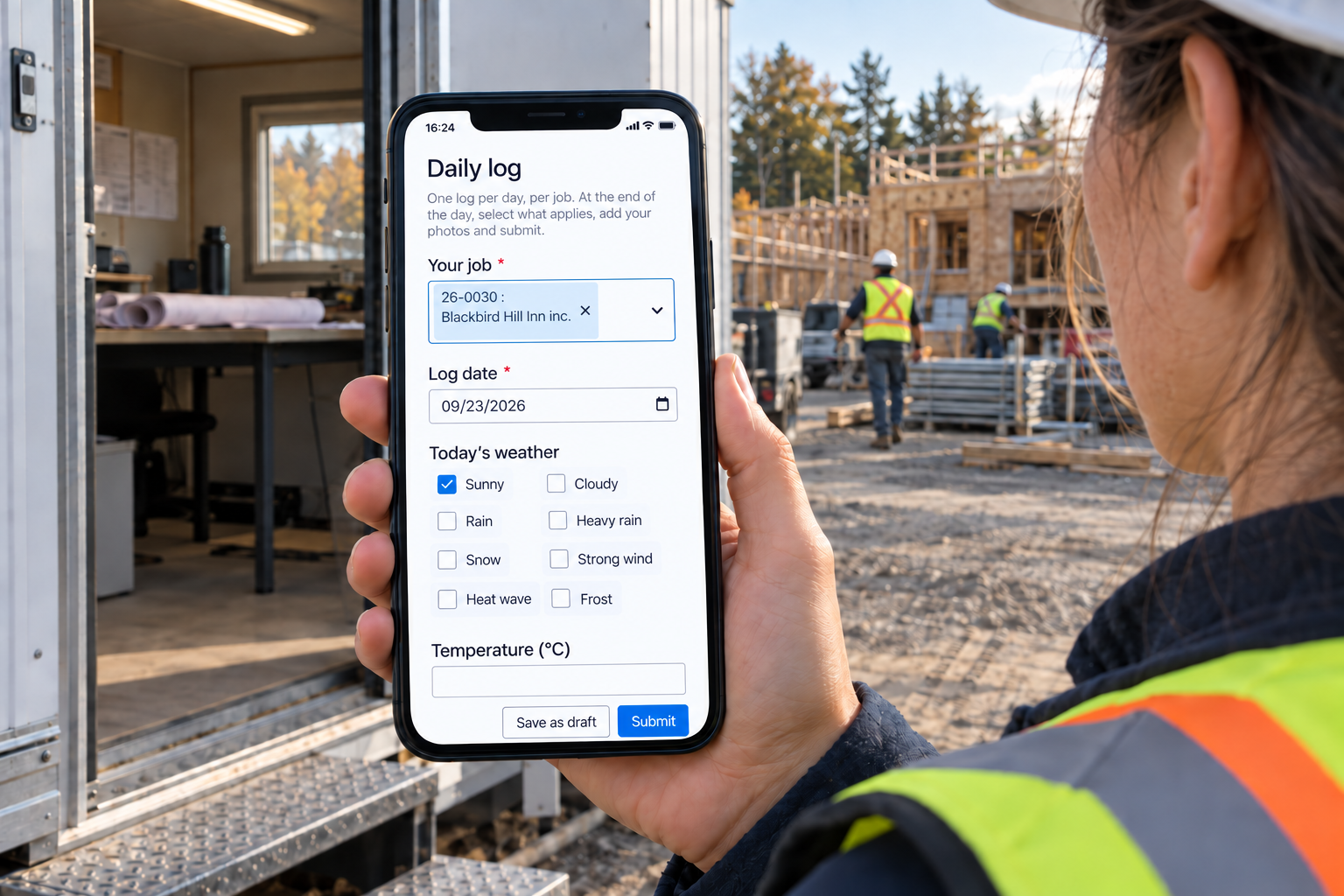
Each day keeps its facts and its office follow-up.
Dated logs let you look back at the work. Field observations remain available in the jobsite record.
The status separates logs awaiting review, logs needing corrections and validated logs. Requested details stay in the same record.
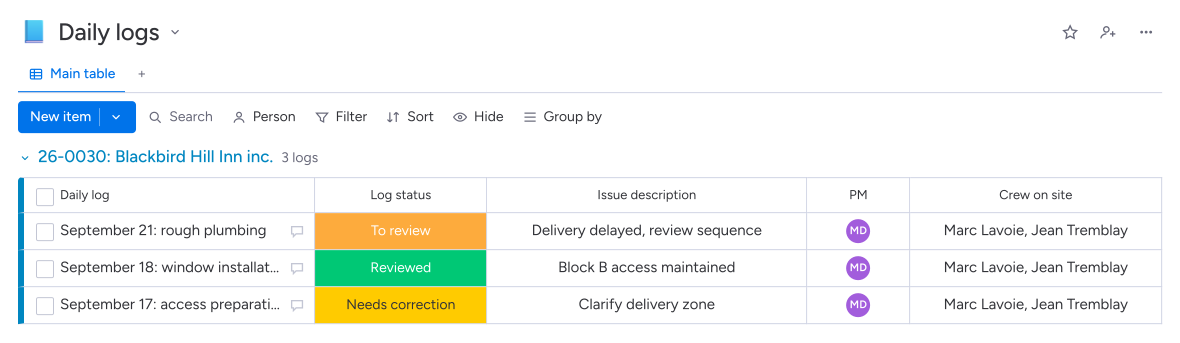
Dated photos, attendance and events help explain a stoppage, a delivery or additional work.
The project manager reviews reported situations to adjust the schedule or prepare an extra for approval.
The daily log in Direction par Horizon brings together the day's weather, attendance, deliveries, incidents, delays and photos. The field lead fills it out on a phone. The office reviews and validates it; reported issues are sent to the project manager to decide what happens next.
Direction par Horizon uses time entries already recorded for that jobsite and day to complete the attendance list. The system also prepares a work summary for review. The field lead adds the facts and photos, then the office checks the submitted log.
The author records the issue, delay or extra in the daily log and adds information that helps explain the situation. The project manager receives a notification, then reviews the facts to contact a stakeholder, adjust the schedule or prepare a quote for additional work.
Yes. The log stays linked to the jobsite with the work date, photos and recorded facts. Its receipt date is kept separately. The office can look up the circumstances of a delivery or delay and request a correction if the submitted log needs more detail.