Direction par Horizon can be connected with QuickBooks Online, Acomba, Sage or your current accounting software. Operations teams manage purchasing, job costs, hours and invoice preparation in Direction. Accounting keeps its existing system for accounting work and payments. Horizon Nord tailors the connection to the company's workflow.
The problem often starts before accounting entry
An invoice arrives, but the office does not know which job it belongs to. The project manager needs to find the purchase order. A required document is missing before approval. Meanwhile, the expense is not explained in the project review.
Several people contribute to that process before a payment is made. Direction keeps the necessary information and decisions around the invoice. Accounting can work from an expense whose project context has been checked by the team.
The project manager can also monitor the job while work is underway. Confirmed purchase orders, approved hours and allocated expenses can be reviewed without waiting for the accounting period to close.
The supplier invoice workflow
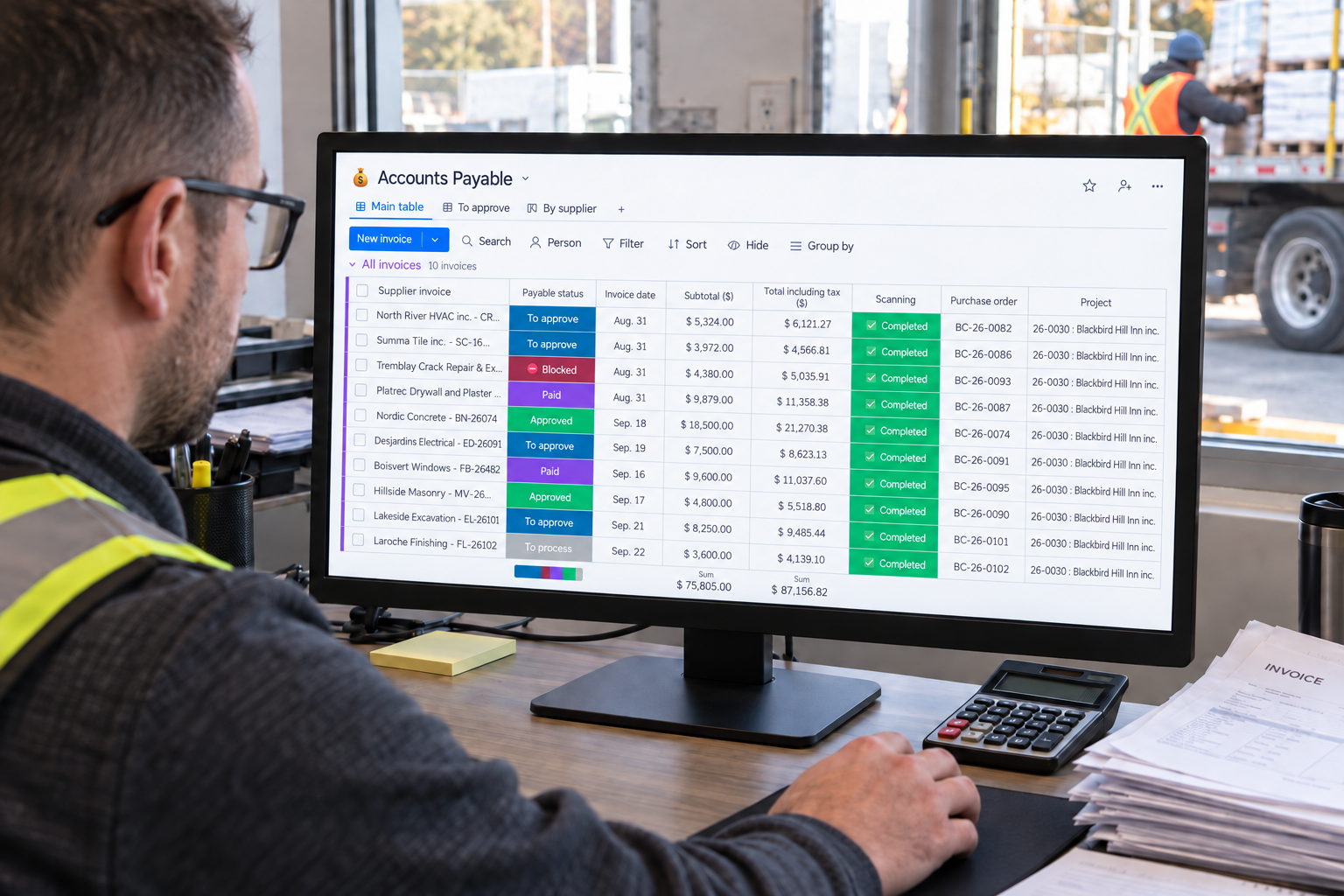
The Accounts Payable module retains the original document and the information prepared by invoice reading: number, dates, amounts and line items. The office checks that information and confirms the supplier, project and relevant purchase order. A purchase without a purchase order can be allocated directly to the project and cost code.
The invoice then follows the configured approval process. Required documents and supplier compliance can affect that process. After approval, the expense feeds into the job budget. Reading the document prepares the work; the responsible person still makes the approval decision.
Accounting makes the payment in its usual software, then records the paid status in Accounts Payable. Approved and paid are different facts. Keeping them separate prevents an internal decision from being mistaken for a completed payment.
Prepare customer invoices around the contract
The Billing module supports three methods: time and materials, fixed-price instalments and progress billing. The contract determines how amounts are prepared.
For time and materials, approved hours, supplier invoices and material movements feed the preparation of invoice lines. For fixed-price work, the office prepares the agreed instalments. For progress billing, the project manager confirms progress while accounting for amounts previously billed.
The team reviews amounts, taxes and holdbacks before authorizing delivery. Each invoice keeps its period, due date and remaining balance. Document delivery and payment receipt have separate statuses.
What connecting your accounting software means
Naming QuickBooks Online, Acomba and Sage identifies software with which a tailored connection can be considered. It does not establish a universal native connector, instant synchronization or automatic transfer of every field.
The agreed workflow needs to answer practical questions:
- Where is the supplier record maintained, and which identifier connects it across systems?
- Which approval authorizes an invoice to move into accounting?
- How do project and cost-code references map to accounting records?
- Who handles a correction and checks that an invoice has not been transferred twice?
- How does payment status return to the operational record?
These answers belong in the implementation scope. Accounting can then verify what it will receive, and the project team can understand what it needs to supply. Testing a representative document gives both teams a clearer basis for acceptance than a list of software logos.
Approved hours also support payroll preparation
Time Entries links hours to the job and cost code. The office checks the periods worked, and accounting uses approved hours to prepare payroll. Labour cost can also feed the project budget.
Preparing these records does not mean automatically calculating or issuing payroll in every accounting package. Responsibilities, rates and the required exchanges need to be checked with the people who actually process payroll.
This distinction matters when assessing scope. A company seeking more reliable field time and project costs has a different requirement from one replacing its payroll engine. Both should be described clearly before configuration begins.
For a useful demonstration, choose a representative supplier invoice and follow it from receipt through payment. Add a fixed-price or progress-billing example when your contracts require it. Explore Direction par Horizon with your accounting lead: the intended benefit is a clear record that accompanies the expense from the job site to the office.
