Find the package's files.
Shop drawings and technical data sheets stay under the relevant work. Your team can find the documents to follow up on.
Which drawing was approved? Which revision needs updating? Direction par Horizon keeps jobsite documents with their transmittals and the design professional's decisions, so you can find what has arrived and what still needs attention.
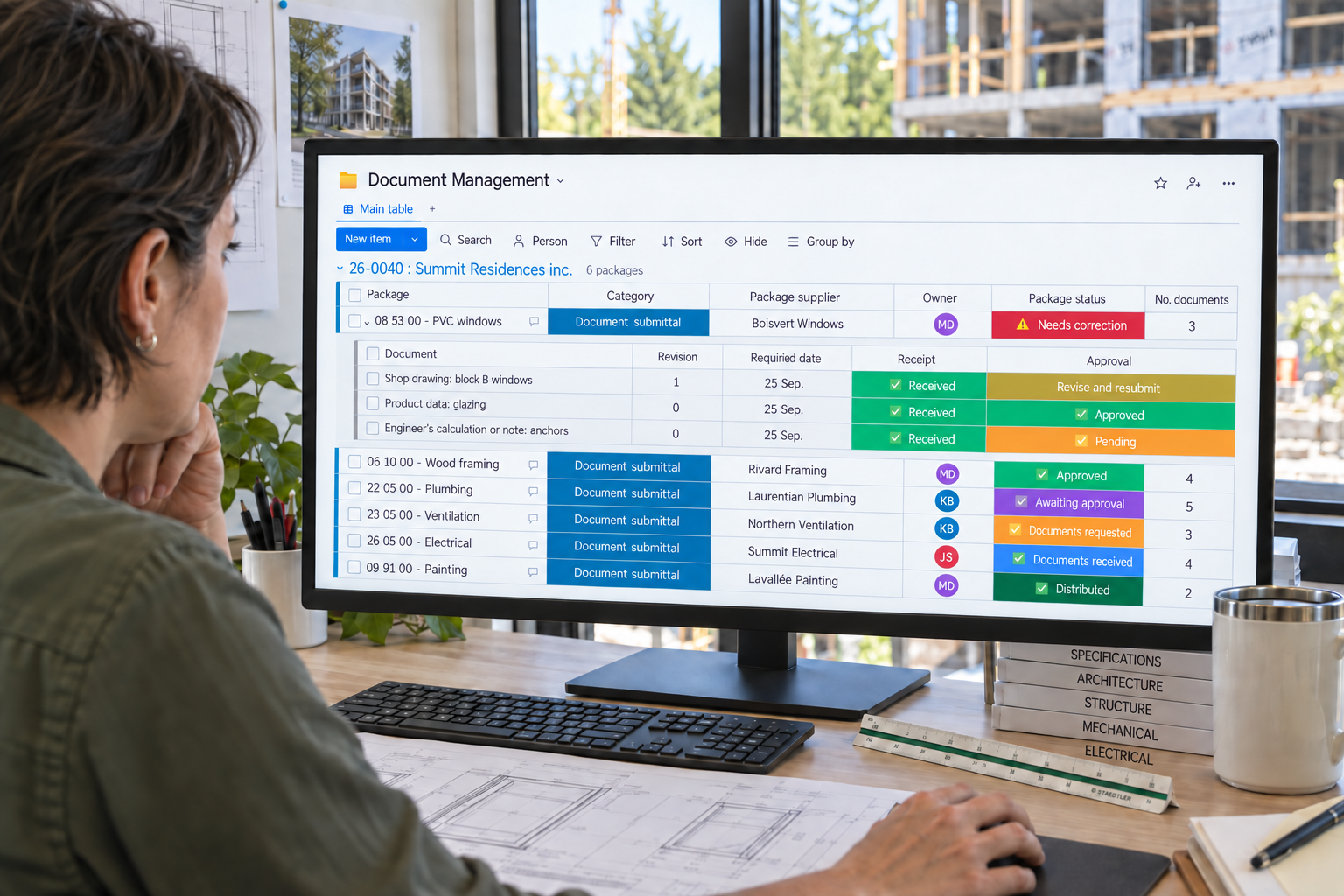
The document package brings together files and the design professional's decisions.
Shop drawings and technical data sheets stay under the relevant work. Your team can find the documents to follow up on.
Approval decisions distinguish accepted documents from revisions that must be resubmitted before proceeding.
The package status summarizes document follow-up. The project manager sees where action is still needed.
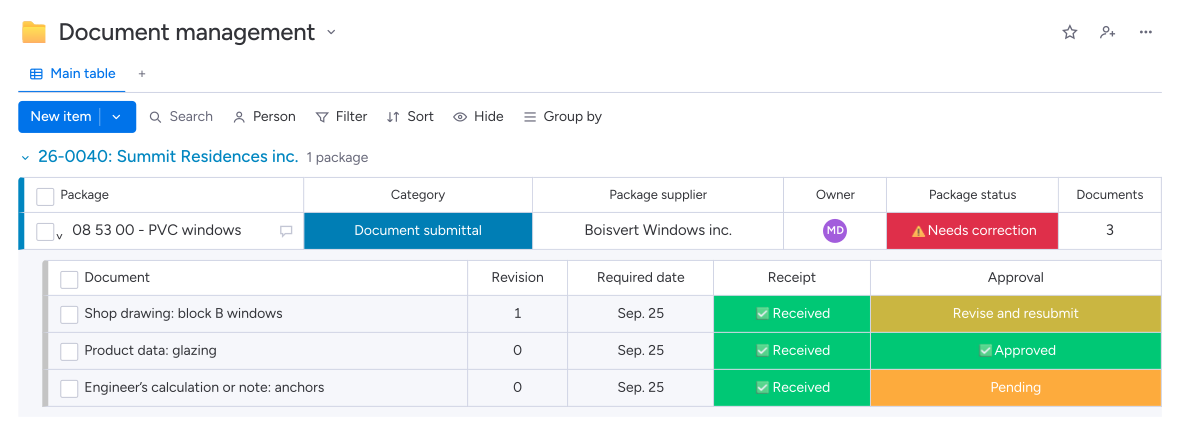
The team can find the submitted version, annotations and required approval before proceeding with the work.
Warranties, manuals and as-built drawings retain their follow-up so missing documents can be requested during construction.
Direction par Horizon groups documents by package, jobsite, supplier and specification section. Your team tracks receipt, submission and approval where required. Transmittals identify documents and their revisions; the design professional's decisions stay on file to distinguish accepted documents from those needing corrections.
Yes. The module distinguishes documents submitted for approval, documents delivered at project closeout and those issued by design professionals. You can track shop drawings, technical data sheets, warranties, manuals or revised plans through their respective workflows, with the relevant dates and stakeholders.
The transmittal accompanies the documents selected by the project manager and identifies their revision. Each submission has a recipient. Your team also retains the design professional's response and annotated file, making it possible to find the reviewed documents and comments that require a new version.
The design professional communicates the decision, and the project manager records it with the annotated document. Direction par Horizon manages the scheduled requests and reminders. If a revision is required, a return to the supplier is prepared with the comments; your team remains responsible for checking the files.