Plan the right work periods.
Each stage keeps its work dates. The office and field team consult the same sequence to prepare the work.
A planned date does not tell you whether the subcontractor confirmed it. Direction par Horizon keeps their response with the job stage, dependencies and progress. Your team can find the work to coordinate and conflicts to resolve.
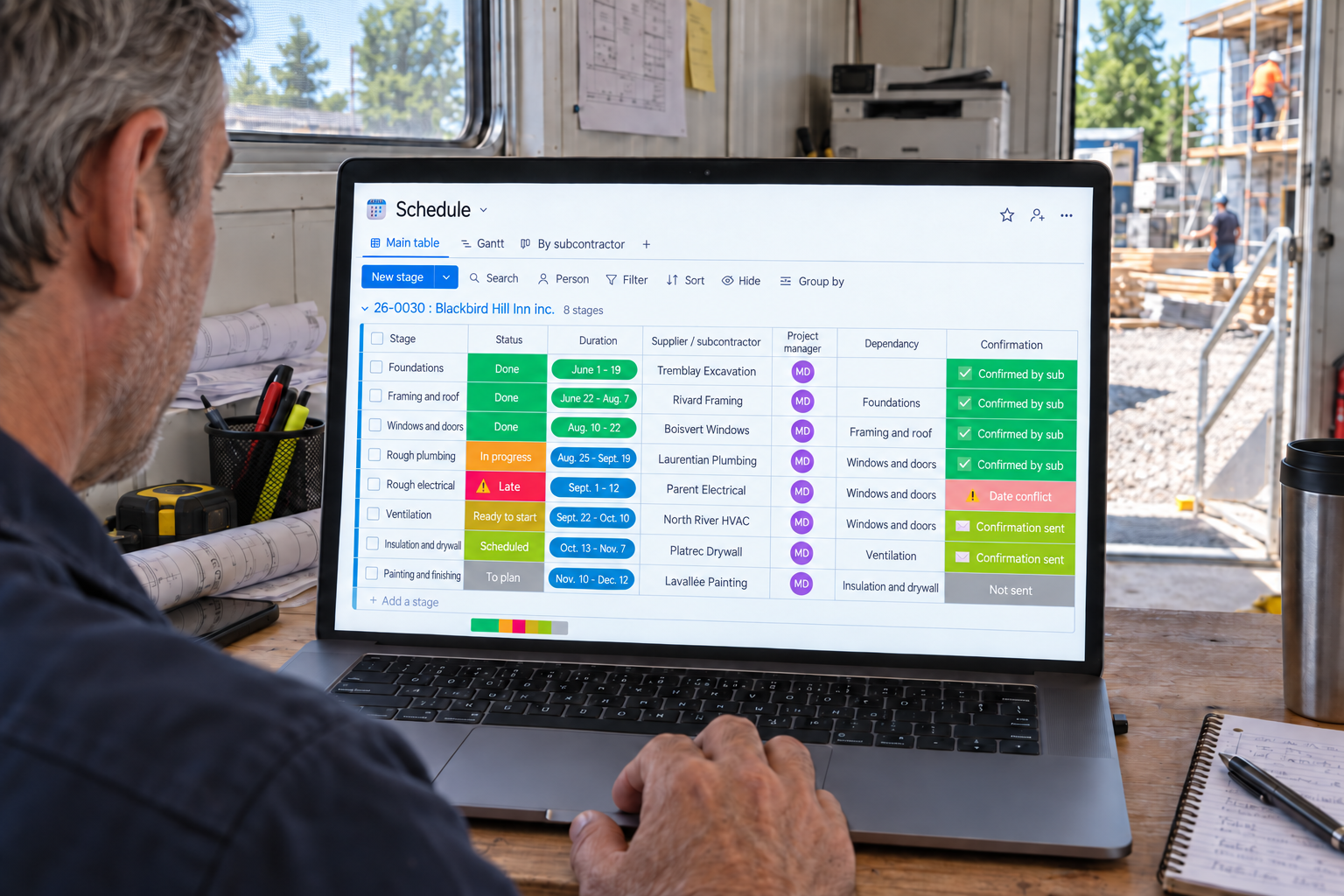
Planned dates and subcontractor responses stay together.
Each stage keeps its work dates. The office and field team consult the same sequence to prepare the work.
The subcontractor’s confirmation stays with the stage. Spot pending responses and conflicts to resolve.
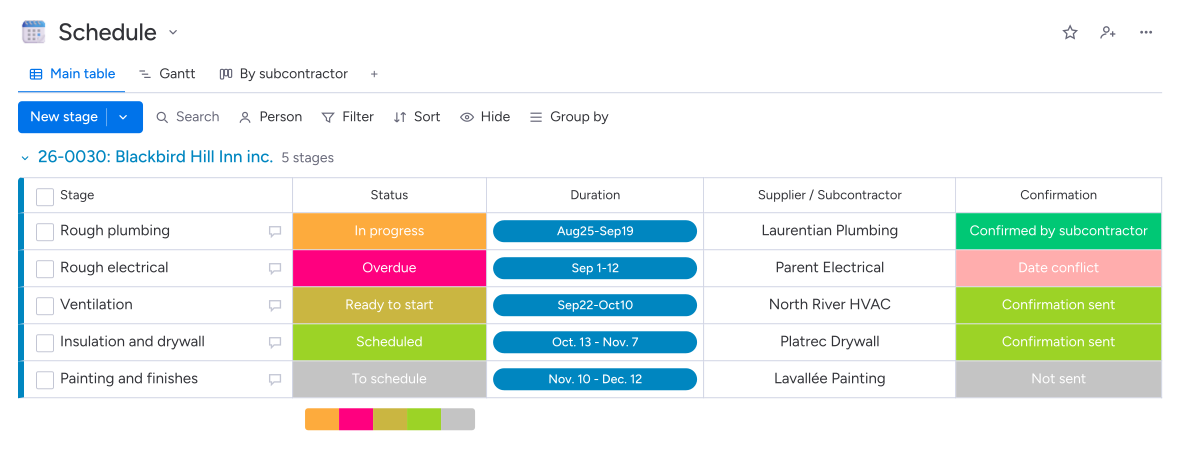
Responses distinguish accepted periods from conflicts and confirmations still outstanding.
Reminders announce upcoming work, delays are flagged and your team can have revised dates sent out.
The schedule in Direction par Horizon links job stages to the companies that will carry out the work. The project manager proposes dates and requests confirmation. The subcontractor accepts the period or reports a conflict; the response stays with the stage. The office and field team can find the recorded dates and progress.
Yes. When the project enters preparation, Direction par Horizon builds the schedule from the planned template, including stages and their execution order. Your project manager adjusts durations, dates and companies. Other Project records for the same job share this schedule.
The subcontractor can report a conflict in the confirmation form. The response appears on the relevant stage and the project manager receives a notification. The manager resolves the conflict, changes the dates if needed and can request that the new dates be sent to the companies concerned.
The calendar and Gantt chart show dates and dependencies between stages. The system flags stages that have not started after their planned date. When a stage is completed, the following stages become ready to start; the manager checks actual conditions before mobilizing the crews.