Keep the requirements together.
Requested documents stay in one place. The team can find what is needed for the subcontractor's purchase orders.
An insurance document received today can expire during the work. Direction par Horizon groups required documents by subcontractor and jobsite, with the dates and reminders your office needs to carry out its checks.
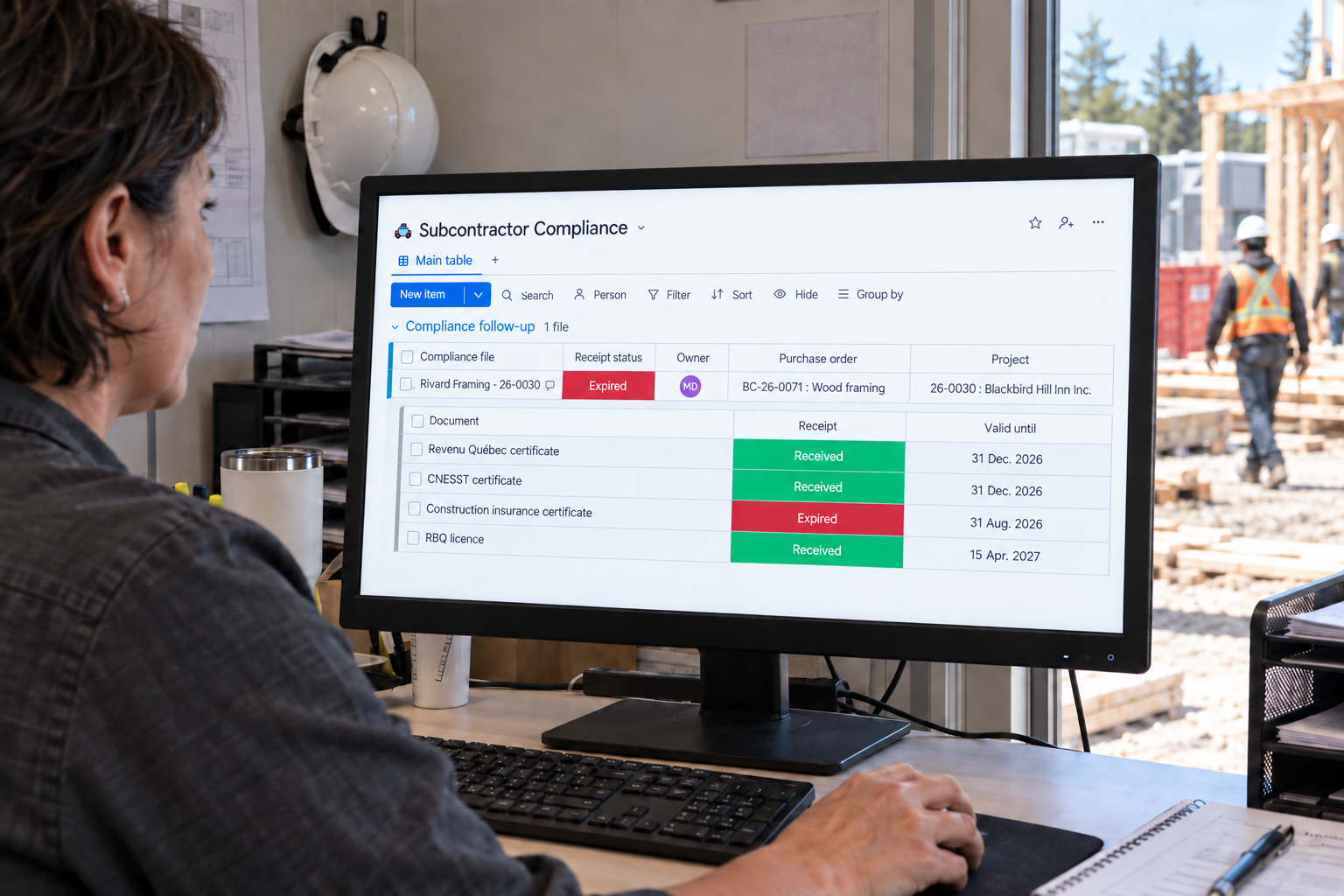
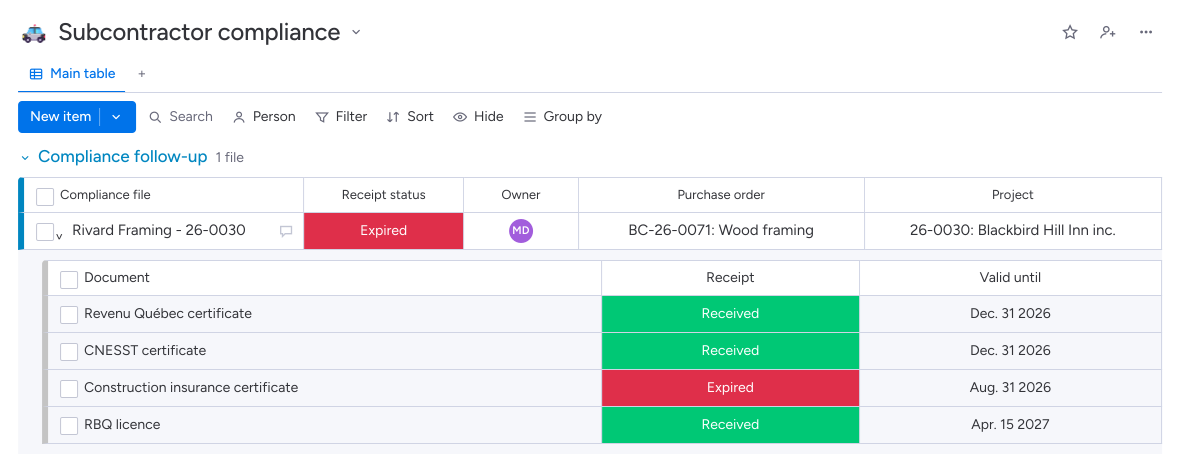
One record brings together the subcontractor's documents for the jobsite.
Requested documents stay in one place. The team can find what is needed for the subcontractor's purchase orders.
The record distinguishes received, missing and expired documents. Your team can target its checks and follow-ups.
Validity dates make deadlines visible. The office checks documents and requests the necessary renewals.
Reminders stop when documents arrive, resume at expiry, and notifications precede the recorded expiry dates.
The onboarding form collects site, estimating and accounting contacts so the right person can be reached.
Direction par Horizon gathers required documents in one record per subcontractor and jobsite. Requirements come from the purchase orders; the subcontractor uploads files online. The office can find received documents, missing files and validity dates to review the record and follow up on renewals.
Documents share one record for the subcontractor and jobsite, even when several purchase orders are issued. Producing a new purchase order opens or completes that record according to the selected requirements. Your team can find the documents already received and those still to request.
Direction par Horizon sends requests and reminders according to the planned follow-up. Reminders stop when all documents arrive and resume when a document expires. Notifications precede the recorded expiry dates. Your team checks the files, dates and compliance statuses.
Receipt means the file has been uploaded and filed. Your team still needs to review its contents, check its validity and update the company's statuses. The record distinguishes received documents from the checks performed by the people responsible for the file.