Know the ordered amount.
A confirmed purchase order reduces the amount available in the job budget.
From the selected offer to the signed order, find your purchases and their approvals. Direction par Horizon links each order to the supplier, job and relevant cost code.
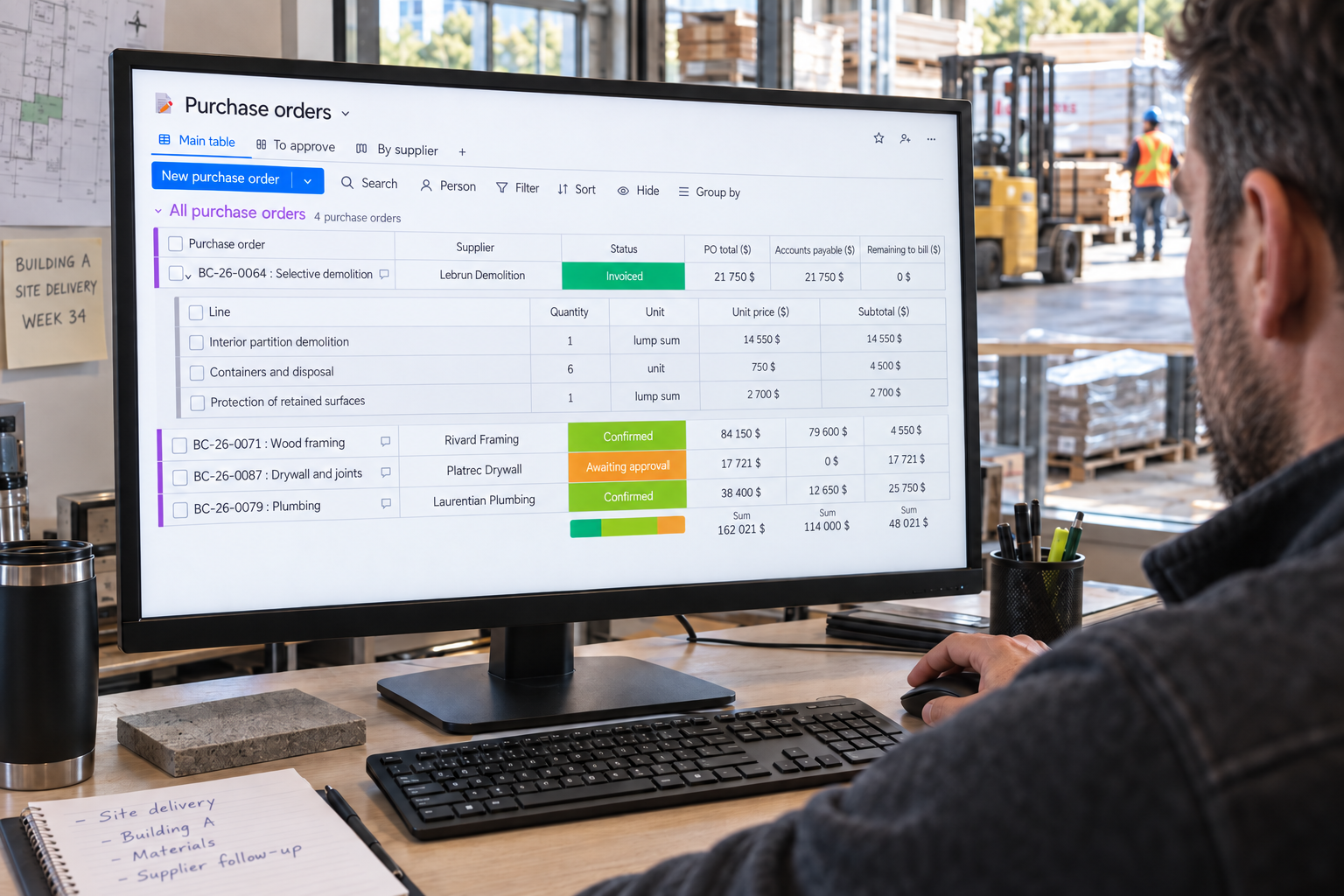
The details and progress of your orders.
A confirmed purchase order reduces the amount available in the job budget.
Each line keeps the work, its price and its amount. Check what is included before sending it.
Spot orders to prepare, approve or already confirmed so you can focus on what is still open.
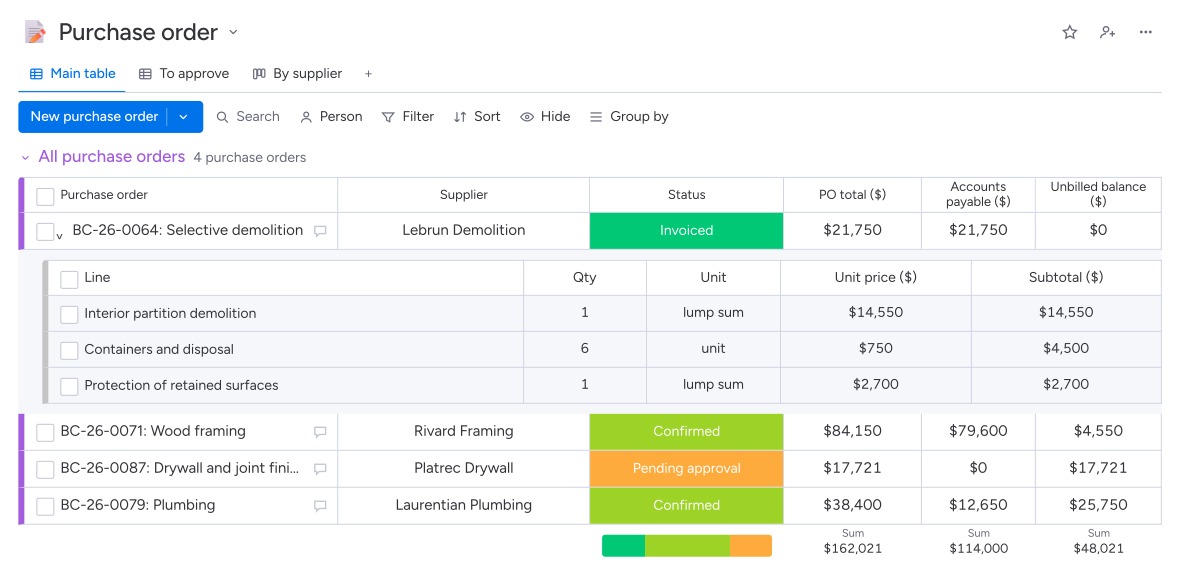
Approval is automatic up to the configured threshold; above it, the designated person decides.
Producing the order opens the compliance file with the required documents; invoices stay linked to the purchase.
The purchase order in Direction par Horizon links the supplier, job and cost code to the work or supplies ordered. Its lines specify quantities, units and prices. The order follows your company’s approval rules, then review and signature by the supplier. The confirmed order then reduces the amount available in the budget.
Yes. Your company sets an approval threshold. When the order enters approval, Direction par Horizon compares its pre-tax total with that threshold. Above the threshold, the designated person receives the request and must decide; at or below it, the system can approve the order automatically.
Yes. An order prepared from a selected response takes the submitted amount and the supplier’s attachment. The project manager can also create an order directly. They check the lines, job and cost code before submitting the purchase for the required approvals.
Your team specifies these requirements in the purchase order. When the approved document is produced, Direction par Horizon opens or completes the subcontractor’s compliance file for the job. The release requirement then accompanies the tracking of invoices linked to the order.