Start with an expected cost.
Your budget estimate provides a reference before you select subcontractor prices.
Prices are coming in, but do they cover the same work? Direction par Horizon groups them by cost item, with inclusions and exclusions. Your estimator can find the responses to compare and the companies that still need a follow-up.
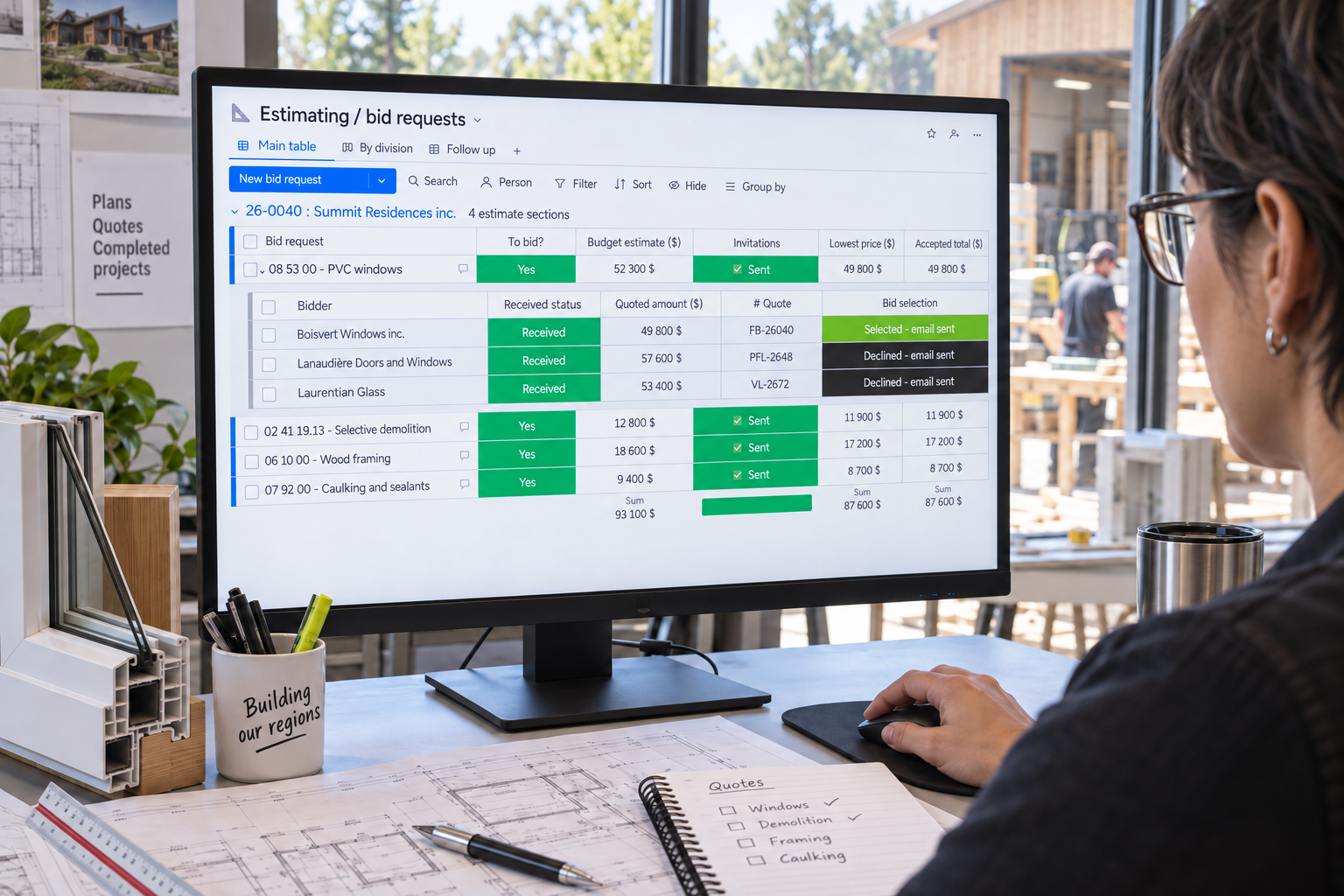
The estimate and responses stay under the same work item.
Your budget estimate provides a reference before you select subcontractor prices.
Responses are grouped under the work package. Find the amounts received to compare prices and scope.
The accepted total stays visible on the item. The estimator and project manager can find the same decision.
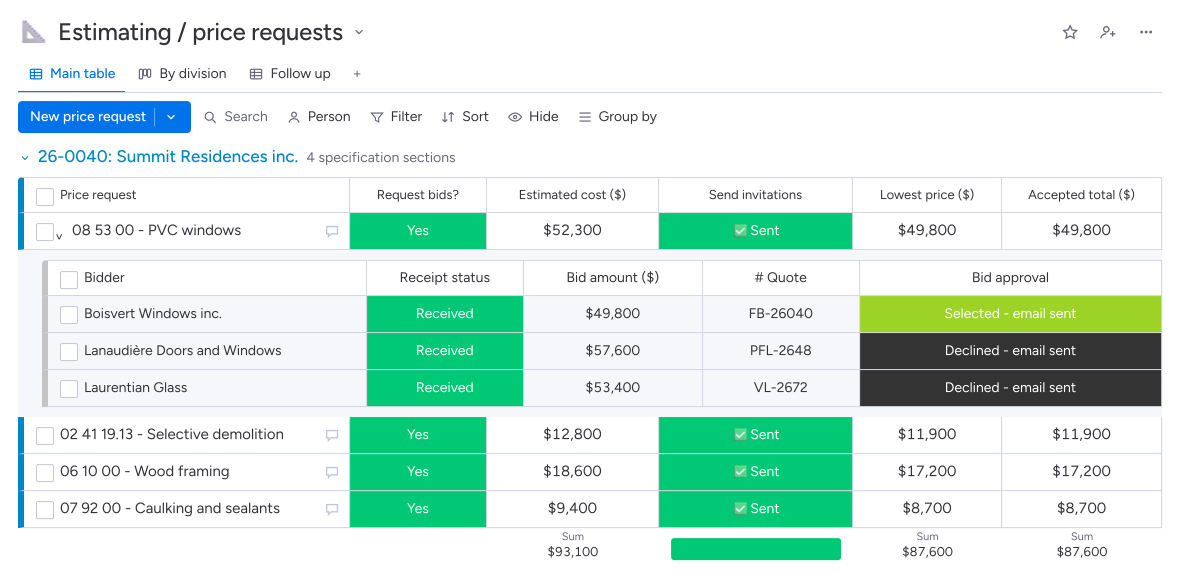
The project manager can find the selected price and its scope when preparing the purchase or clarifying the work with the subcontractor.
Intentions to bid and responses received show which companies still need to be contacted to complete the estimate.
Direction par Horizon groups company responses under each estimating item, with the amount, document, inclusions and exclusions. The estimator can also calculate a budget cost using quantities and unit costs. They select the prices to retain while keeping the details of the work covered.
Yes. Each item can have a quantity and unit cost to establish a budget estimate. For work assigned to an outside company, you prepare a price request. Items remain organized by specification section and linked to the cost codes used on the job.
After you authorize the invitations, Direction par Horizon tracks invited companies and sends the planned reminders to those that have not responded. When your team uploads a quote or enters the amount received, the record shows receipt and stops reminders for that response.
Yes. Choosing “Approved - PO” creates a purchase order with the submitted amount and attachment when the required information is present, including the project and supplier. The project manager then reviews the order and continues the approval process before sending it.